TabKan turns Chrome's native tab groups into a calm, visual board — so your browser stops feeling like a junk drawer and starts working like a workspace.
No account · No tracking · Your data stays on your machine

The endless squint across tiny favicons. The "where did that go?" hunt. The dread of closing anything in case you need it later. TabKan gives that chaos a shape you can see and move around — and because it drives Chrome's real tab groups, organizing the board organizes your actual browser.
Six reasons TabKan earns a permanent spot on your toolbar.
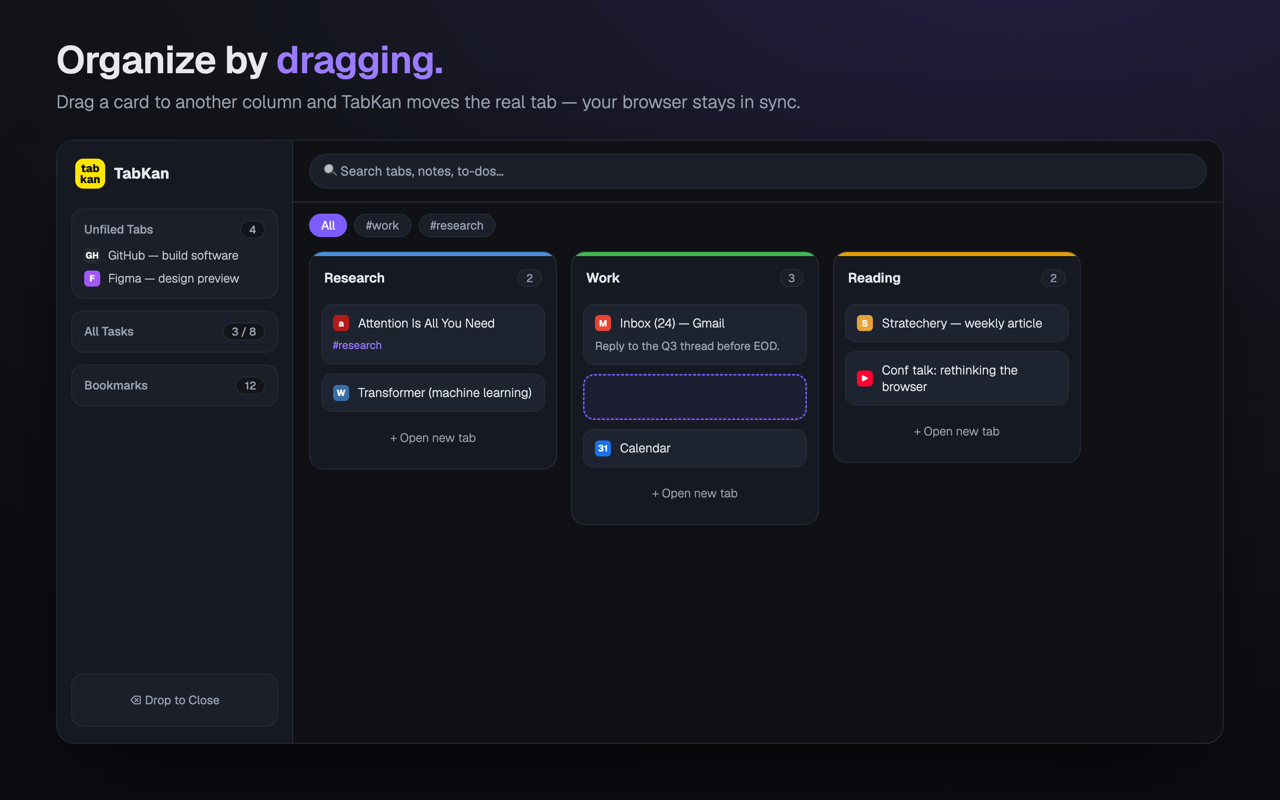
Every tab group becomes a column; every tab a card on a clean, full-page board. No more scanning a cramped strip.
Drag tabs between groups, pull one to the unfiled sidebar, or drop into empty space to spin up a new group — synced to Chrome both ways.
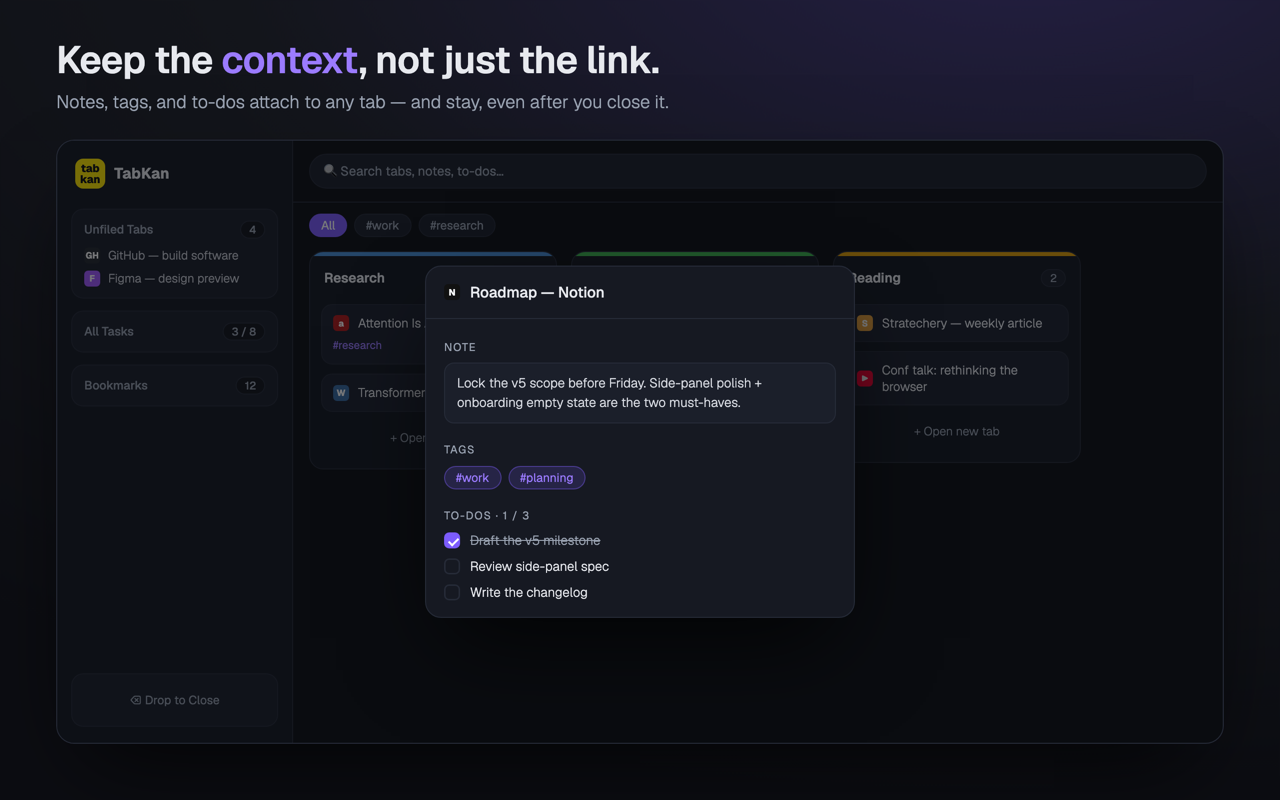
Attach notes, tags, and to-do lists to any tab. Keyed to the URL, so your thinking survives closing and reopening the tab.
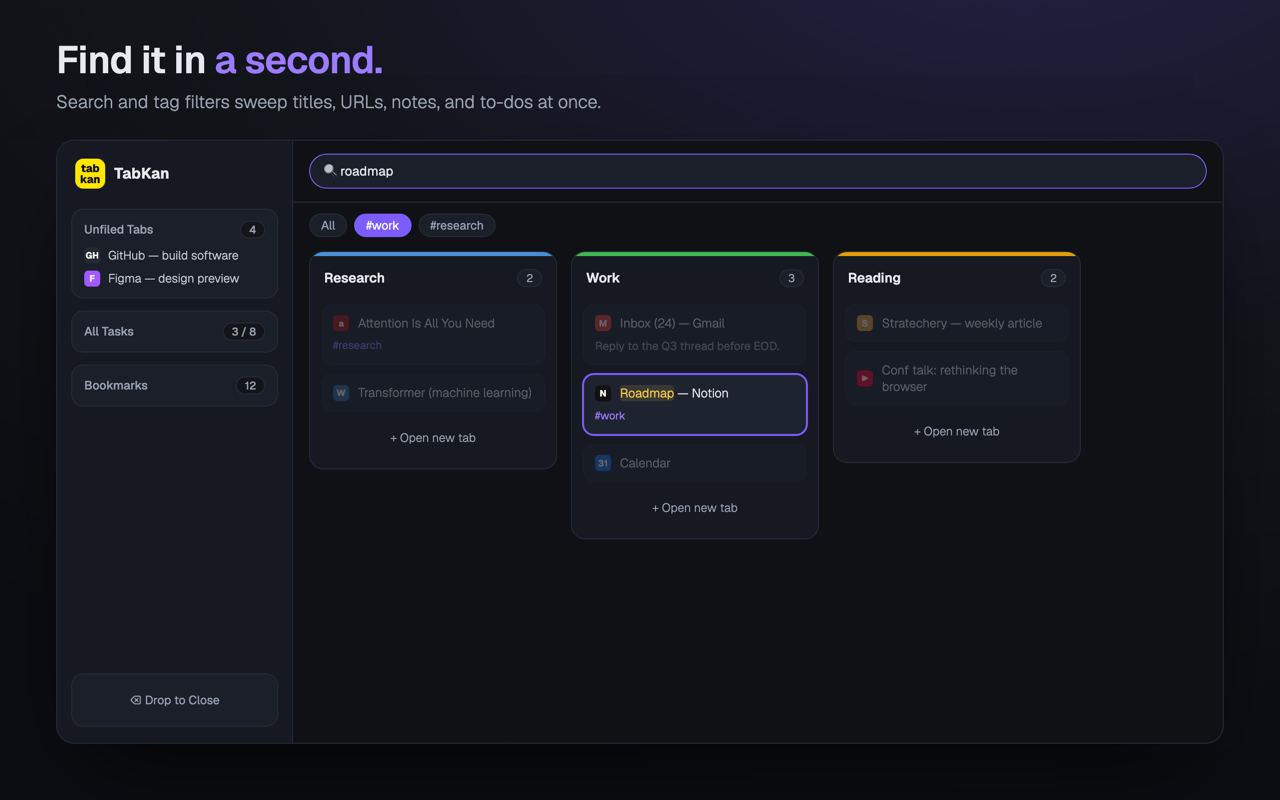
Instant search and tag filters sweep across titles, URLs, notes, and to-dos to surface the one tab you need.
Save a whole arrangement — groups, tabs, and bookmarks — as a named session, then restore or export it later.
A task roll-up gathers every to-do across all your tabs into one list, so half-finished work doesn't disappear.
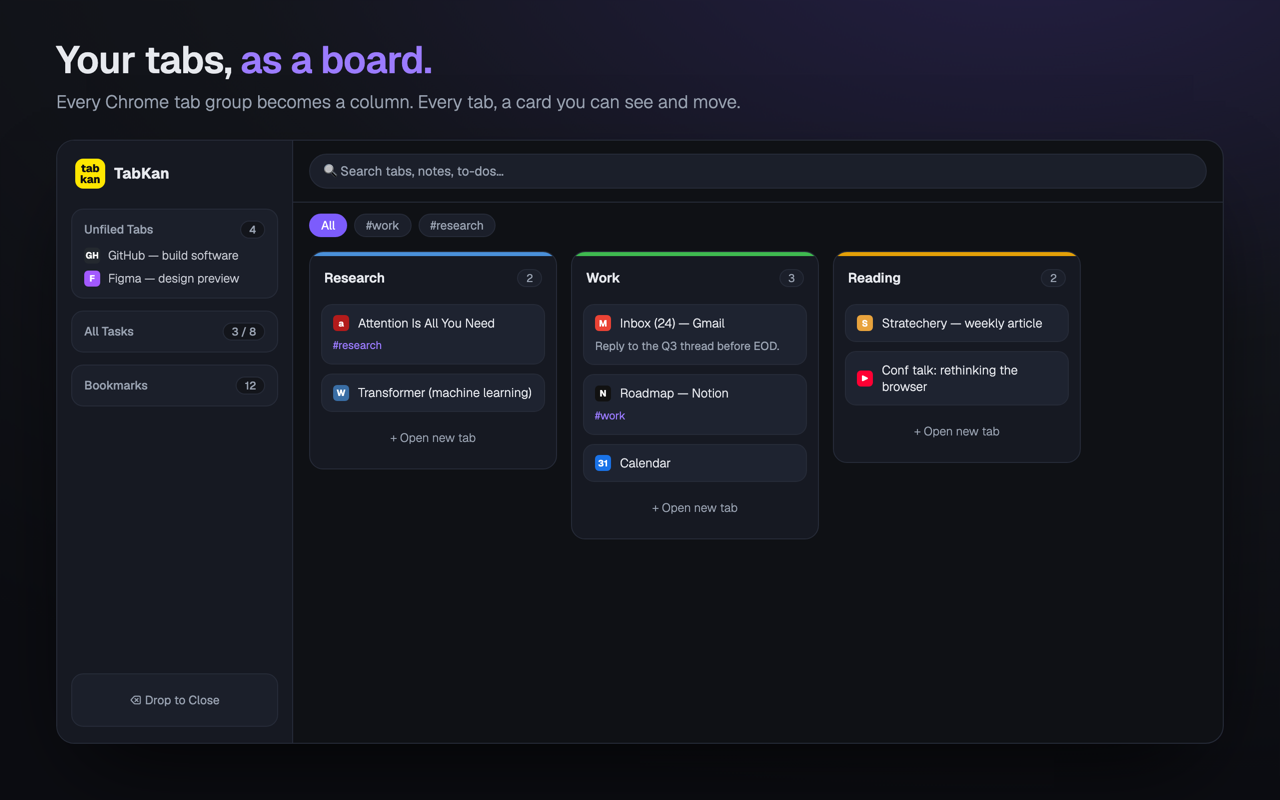
Move a card to another column and TabKan moves the real tab with it. Your board and your browser never drift apart.

Notes, tags, and checklists live on each tab — and stay put even after you close it. Pick a task back up exactly where you left off.

One query reaches across titles, URLs, notes, and to-dos. Filter by tag to narrow a hundred tabs down to the handful that matter.

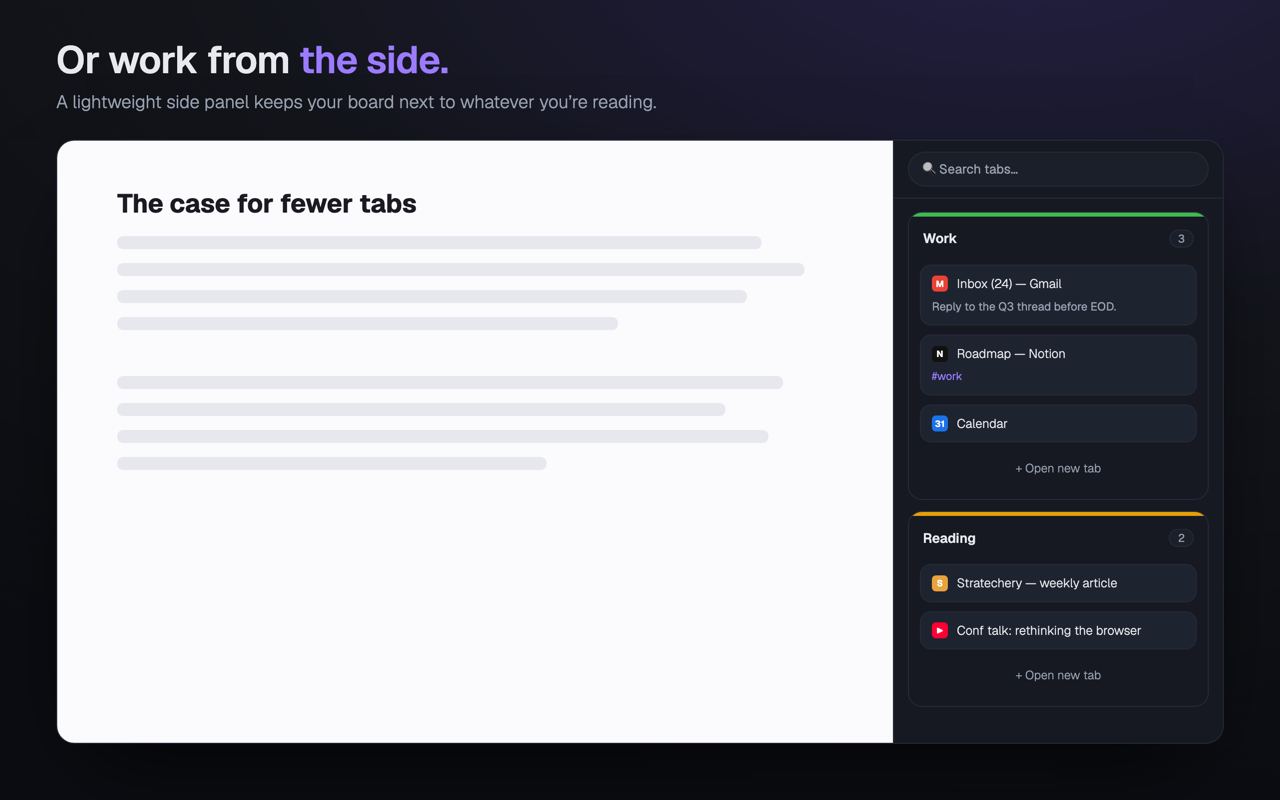
Prefer to keep reading? The lightweight side panel puts your board right beside the page you're on.

No accounts. No servers. No analytics. TabKan is built entirely on Chrome's own APIs, and every line is open source under the MIT license.
Read the full Privacy Policy & Security Policy.